Web forms are an essential part of the Internet. But if you want to build one from scratch, you need to know HTML, CSS, PHP, OMG, and databases galore. Web Form Builder lets you piece together the perfect web form in minutes. You’ll get to enjoy the same powerful results without needing to know any of the complicated stuff that makes them work.
Released: Apr 23, 2012 Runs On: Windows 7, Vista, XP Also See:: Server Requirements | Get the OS X version
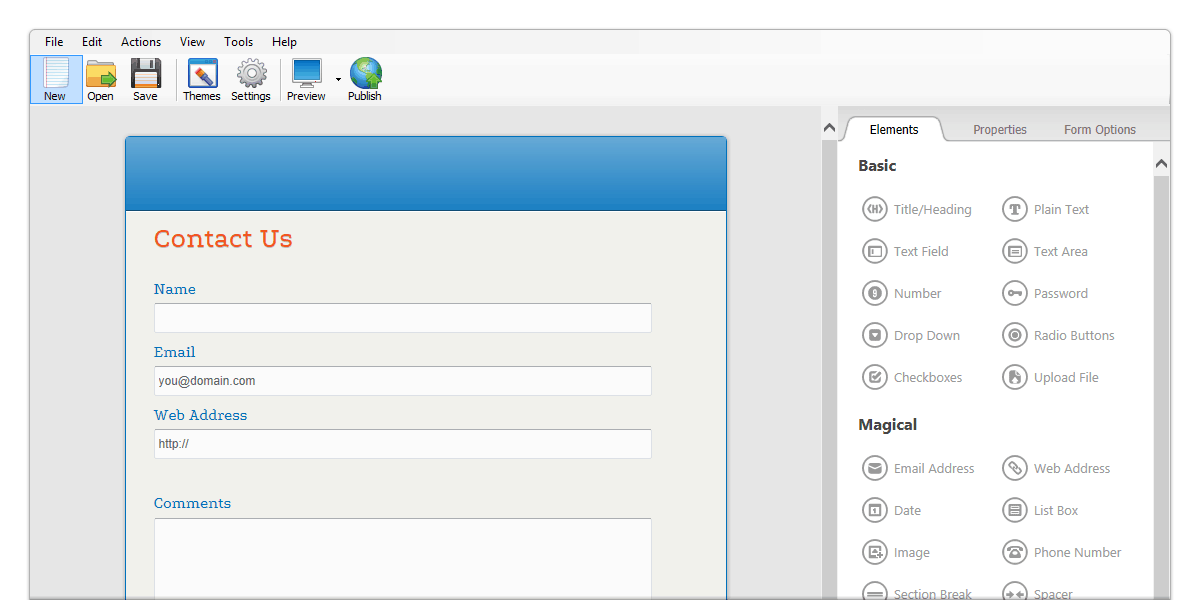
The form you’ve been dreaming of can be whipped up in seconds. Drag input fields and other form elements into place — voila, a new web form has been born!
For registration forms, order forms, surveys, invitations, applications, contact requests, subscriptions, and anything else you can imagine, you can tackle the unlimited possibilities as often as you want.
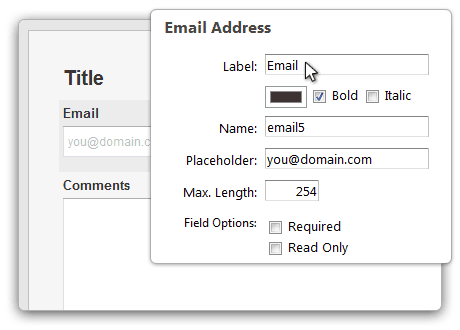
Fill in the blanks to mold each form element into exactly what you need. Adjust text, labels, colors, and dozens of other options.
Take it easy and tweak only the basics. Or get hardcore and configure all that behind-the-scenes stuff that makes for an incredibly powerful web form. With full control over design and function, you can be sure that you’re getting the exact web form you’d hoped for.
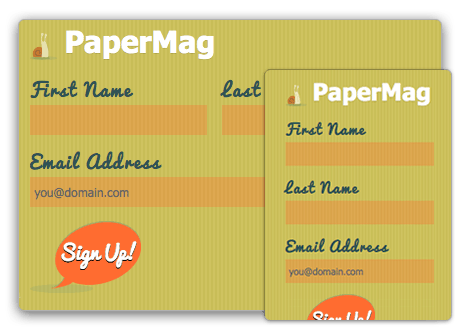
Ready to spice up your form’s style? Pick a design from the Theme Browser to apply it directly to your form, and choose another one if you change your mind. Your forms are built with HTML5 and CSS3 web standards, so you can make any customization you can dream up by editing the code later.
Make all the changes you want to your form’s elements, from label alignment to font sizes and colors. Web Form Builder neatly arranges all your fields so they look like a pro custom-designed your form for you—sweet!
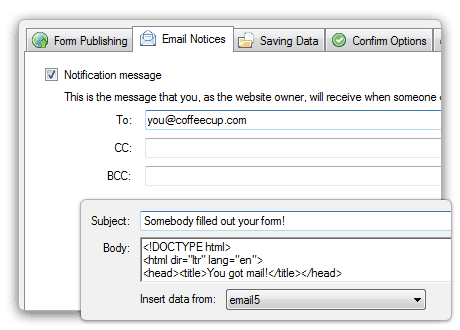
Form Builder will email you every time your form is filled out, if you like. You can also tell it to save form results to the S-Drive Dashboard, a database, and/or a text file.
Want to give your submitters a pleasant experience, too? Set up a confirmation message so they know everything went well when they clicked Submit. Or redirect them to another webpage. Form Builder can even send out a confirmation email so they’re confident you got their info.
Use our free S-Drive Forms service to host your web forms, or upload the files to your own server. Because these forms are fully compatible with both destinations, you can switch from one to the other at any time.
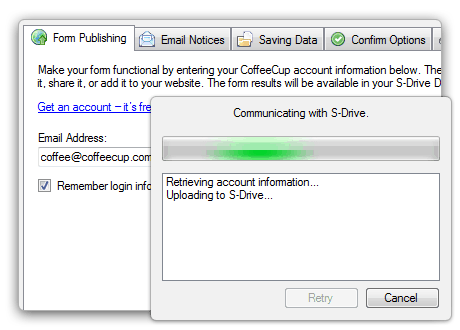
You can try the free lite version to publish to S-Drive with one click. Just enter your CoffeeCup account information, pick a publishing destination, and click Publish as often as you like. S-Drive gives you tons of other unique perks, too.
When your form is ready for the world, Web Form Builder will upload everything to S-Drive for you and provide a link to the form. There’s no need to configure anything, since form results are displayed automatically in S-Drive’s smooth overview.
Plus, you can embed forms anywhere—including your shop, blog, forum, or website. Need full control? You can do that too. Just export the form, tweak it to your heart’s desire, and have your own server do the heavy lifting.
FEATURE ROADMAP Full Support Coming Soon We’re thinking about it |
|---|
Form Design Made Easy |
| Flawless rendering on any device that uses HTML, including iPhones and iPads. |
| Swap out your form theme on the fly — try on a couple for the perfect fit. |
| Add friendly hints and placeholders, making your forms easier and friendlier to fill out. |
| Forms are Section 508 accessibility compliant. (Trust us, this is a good thing.) |
| Set a default value for certain fields. They’ll be submitted if the visitor doesn’t change them. |
| Drag-and-drop your form elements to rearrange them. |
| Utilize autofocus fields. (Give your visitors a starting point.) |
| W3C-valid HTML 5, CSS 3, even graceful degradation—more awesome than it sounds! |
| Set the positioning of your field labels across your form. |
| Define the font family, size, and color for your form, then (optionally) customize them for each label. |
| Use multiple columns together with the sweet “Spacer” Magic element to fit lots of fields on one page (oh, the possibilities…) |
| Customize Page, Header, and Footer background images and colors. |
| Add images and icons for an ultra-snazzy design. |
| Customize the stylesheet for maximum control. (You’ll be able to import your changes soon.) |
| Take advantage of multi-page forms (because mega-forms sometimes need to be split up into chunks). |
Yeah, You Can Build That, Too |
| Complex forms are a cinch to create and design. |
| Mark fields as "Required" and show appropriate warning messages if necessary. |
| Automatically validate user input by field type (and get more reliable data). |
| Automatically verify user input for email and password fields. (Type it twice to eliminate errors.) |
| Define value ranges and interval steps for number fields. |
| Use a stylish calendar for picking dates and choose from a wide range of calendar date formats. |
| Use hidden fields (for your eyes only). |
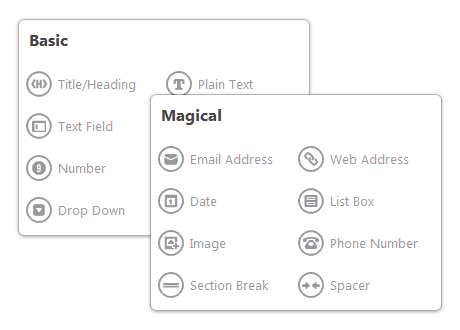
| Use magic fields: Pre-configured field combinations you’ll love! |
| Multiple files can be uploaded at once. |
| Full UTF-8 support: Use practically any language in your form. |
| One-click captcha support with reCAPTCHA to protect your form against spam. |
| Control the width and padding for each individual field element. |
| Control the submit button position and use custom button images. |
| Add a link to your logo and form images. |
| Use contact lists so that results can be sent to a department chosen in the form. |
Publication and Sharing |
| One-click form publishing to S-Drive. |
| Use a unique URL to easily share/link a full-page form. |
| Easily embed your form in your website, blog, shop—wherever you want it! |
| Fully customize your form embeds. (Tweak whatever you like—it’s totally up to you.) |
Baby’s got back-end |
| Get a comprehensive overview of all your forms using S-Drive. |
| Use automated form processing. Get results without touching a friggin’ database. |
| Use your own PHP server but have your hosting provider upgrade it to PHP 5.1, alright? |
| Support for PHP SMTP Authentication. (Use your own SMTP mail server, if you’re into that.) |
| Send your customer a fully customizable email upon form submission. You can include data they entered in the message, too. |
| Supply a custom “From” address for auto-response messages. |
| Redirect your visitor to a specific URL after form submission. |
| Show your visitors or customer a custom message after submission. |
| Be notified by email every time a form is submitted. |
| Log your form results to a MySQL database, CSV file (comma separated values), or both! |
| Easily download form results as a text file. |
Automatic Form Statistics with S-Drive |
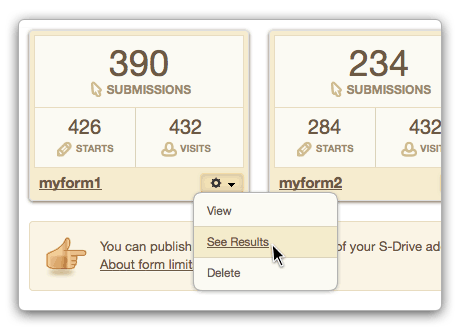
| Get an instant overview of form stats, including conversion rates. |
| Automatically store and report on form results — sweet! |
| See how many people looked at your form. |
| Track how many people started filling out your form. |
| See the number of submissions for every form, in one single view! |
| IP address and submission timestamp are automatically added to the form results. |
3rd Party Integrations |
| Grow and manage email mailing lists using the built-in MailChimp integration. |
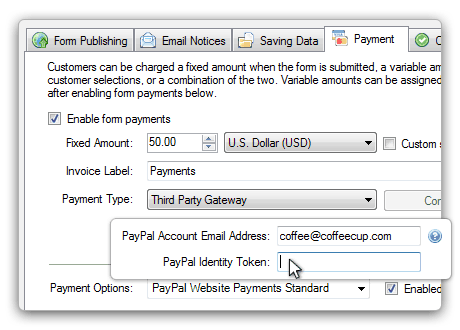
| Integration with payment providers like Paypal, Google Checkout, Authorize.net, and Worldpay. |
| Integration with other 3rd party services like Facebook and others. |