Can you post a link to the page?
It might be easier to figure out if we could see the actual code.
In VSD, scripts usually go in the header and the associated html goes on the page. So, I don't know if that has anything to do with what's going on here. Seeing the code might help
I love deadlines. I like the whooshing sound they make as they fly by. (Douglas Adams)
http://www.callendaledesigns.com
Adding transparent to your Chat code might help.
Find the object tag for your Flash code and add this parameter: <param name="wmode" value="transparent">
Add the following parameter to the embed tag: wmode="transparent".
Otherwise make the link and or text that shows through advanced text.
I can't hear what I'm looking at.
It's so easy to overlook something your not looking for.
Here's my S-Drive site with
examples of what can be accomplished in VSD.
http://progrower.coffeecup.com/
Here's my CoffeeCup SCCP Shop with examples of what can be done.
http://progrower.coffeecup.com/shop/
The javascript code is below. There is neither an embed tag nor an object tag:
<script type="text/javascript">
document.write(unescape("%3Cscript src='" + ((document.location.protocol=="https:")?"https://snapabug.appspot.com":"http://www.snapengage.com") + "/snapabug.js' type='text/javascript'%3E%3C/script%3E"));</script><script type="text/javascript">
SnapABug.addButton("f7e386a2-bfab-44c8-a2bd-178a4ffb142e","0","55%");
</script>
I checked out your site and the popup appears fine with no text showing through.
I can't hear what I'm looking at.
It's so easy to overlook something your not looking for.
Here's my S-Drive site with
examples of what can be accomplished in VSD.
http://progrower.coffeecup.com/
Here's my CoffeeCup SCCP Shop with examples of what can be done.
http://progrower.coffeecup.com/shop/
Yeah...but that is because I changed the location of the chat window from Bottom-Right corner to Bottom-Left corner...not my preferred location though...
Can't fix your issue, but you need to be fully aware that you absolutely will never be able to edit code outside of the VSD program and have it show up. When you edit the VSD site it saves it to a particular file and that file is not importable in any way so nothing you do outside of the program will ever be able to show up and will always be overwritten. You definitely need to make all changes within the program if you plan to continue editing a site made with VSD. Once you go outside the program you have to stay outside the program with it to keep your changes.
Hope that helps.
Jo Ann
http://lbwebsites.com - Affordable Web Design & Hosting
http://cattownrescue.org ... Love this site! Love cats! This site was definitely fun to do 
http://northbaldwinliteracycouncil.org .... Our local Literacy Council
Yeah..it helps in the sense that it confirms what I already thought to be the case. Was looking for some workarounds. Apparently there are none.
Thanks everyone for suggestions.
There is a workaround for your issue. Make the page in VSD then preview it and copy the source code. Now alter the code to your needs and save the page. You'll need to delete the page from VSD so it won't overwrite the altered one. Also make sure you never add a new page with the same name to VSD as it will overwrite it. Now you can add this page to VSD through the Add files tool and VSD will look for changes to the page each time you publish but it will be uploading it as a file so nothing gets overwritten.

I've done this on this page.
http://progrower.coffeecup.com/ribbonheader.html
I did this to demonstrate the ribbon header but didn't want it for the rest of my site. I saved the source code and made sure I had all the images rounded up and added all the files to VSD with the add files tool.
I can't hear what I'm looking at.
It's so easy to overlook something your not looking for.
Here's my S-Drive site with
examples of what can be accomplished in VSD.
http://progrower.coffeecup.com/
Here's my CoffeeCup SCCP Shop with examples of what can be done.
http://progrower.coffeecup.com/shop/
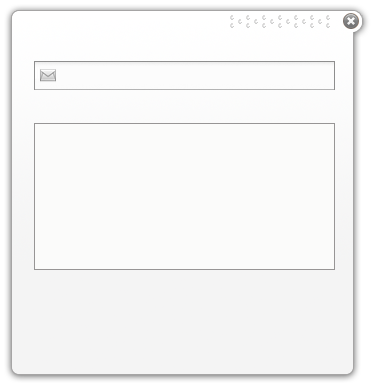
When I put this on a page over some text to try it out, it pops up in the center of the page (like a Lightbox – the page fades), but the text shows through.
Do you have any options in the chat program to customize it? There are options in the code for it; Z-index, background... If you could give it a background color and make sure it has a higher Z-index then the other page objects it should float over any text, etc.
style = position: absolute; display: block; margin: 0pt; padding: 0pt; border: medium none; float: none; clear: none; left: 0px; top: 0px; width: 375px; max-width: 375px; min-width: 375px; height: 386px; max-height: 386px; min-height: 386px; z-index: 2; background: none repeat scroll 0% 0% transparent; font-style: normal; font-weight: normal; font-size: 100%; line-height: normal; text-shadow: none; list-style: none outside none; text-align: left; text-indent: 0px; box-shadow: none;
src =
http://chtatic.appspot.com/wbg/snapengage_form.png
I love deadlines. I like the whooshing sound they make as they fly by. (Douglas Adams)
http://www.callendaledesigns.com