Direct FTP 6.6

Just $ 39.00

The FTP Client That's Both Powerful and User Friendly.

Don’t let the name fool you: Direct FTP is way more than just an FTP client. Sure, it transfers files at don’t-blink-or-you’ll-miss-it speeds, but it’s also a complete Web design toolbox. Use it to make last‐minute edits, preview and organize your files, and back everything up, just in case. It's the only FTP client with a full-blown, built-in Web editor that lets you work with HTML, CSS, JavaScript, PHP, and more. With other stellar features like bookmarks, easy archival, and a neatly ordered activity log, it leads the pack in power and usability.

Released: Jun 11, 2009
Runs On: Windows 7 (32-bit), Vista (32-bit), XP (32-bit)

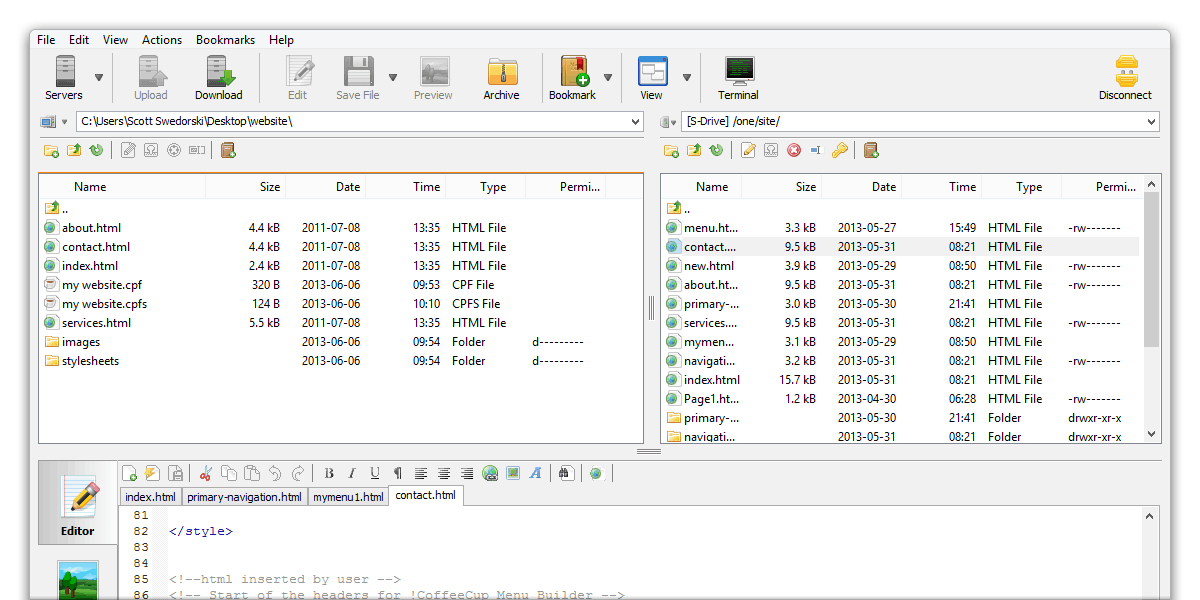
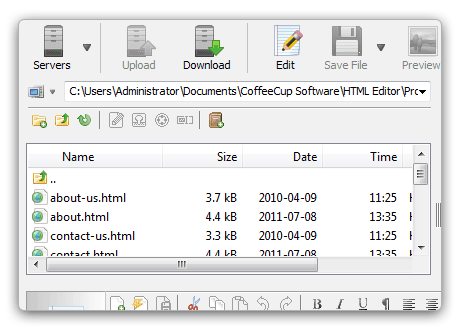
Direct FTP Screenshot

Edit Files Right on Your Server.

Edit Files Right on Your Server.

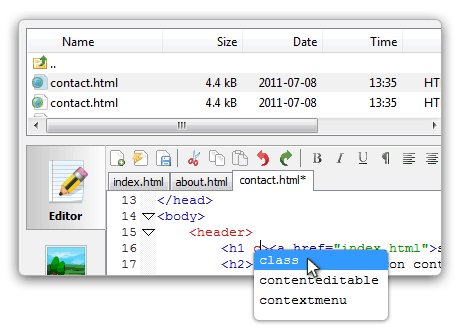
Let’s say you’ve uploaded a file and checked it out in your browser, and it doesn’t look right. You could open up your Web design program, hunt down the file, make the change, save it, close it, and then reupload it with your FTP client. Or you could use Direct FTP’s built-in Web editor to make that change directly on your server. The Web editor supports a wide range of languages, including HTML, CSS, JavaScript, PHP, and ASP. And when you're done making your changes, all you have to do is save — no reuploading required.

This isn’t some flimsy, glorified version of Notepad either. The built-in Web and HTML editor is equipped with helpful features, including code completion, language highlighting, and preview. Just drag a file to the Edit window to make changes, save it when you’re done, and Direct FTP will save your updates directly to your server.

Super-Simple, Super-Fast Uploads.

Super-Simple, Super-Fast Uploads.

Direct FTP is designed to be user friendly, but just because it’s easy to use doesn't mean it’s not powerful. Connect to your server with the click of a button, and then upload or download files by dragging and dropping them to your server or computer.

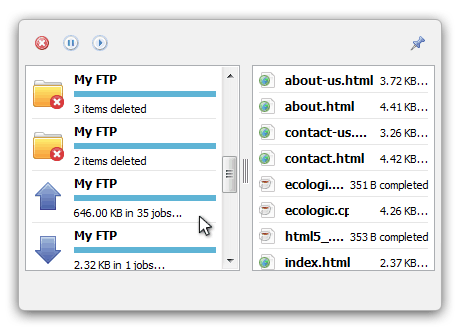
Keep an eye on the whole process with the FTP Activity pane. This neatly ordered window gives you a clear overview of the status of your file uploads and downloads, making complicated FTP logs a thing of the past. It even lets you pause or cancel your file transfers. If an error occurs, it’s shown in a clean, readable way. This keeps the process of managing your site seamless and user friendly.

With Bookmarks, You’ll Never Lose Your Place.

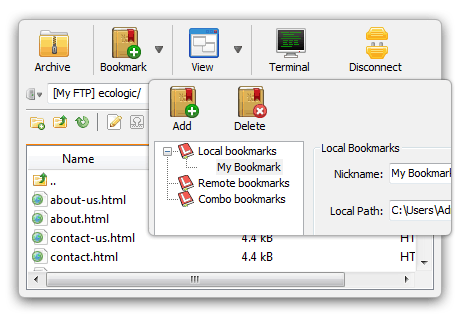
Bookmarks Screenshot

This feature is powerful and elegant; it’s the strong, silent type. You may not realize it yet, but once you start using it, you’ll wonder how you ever got by without it. Bookmarks let you save your place in a folder on your local computer, your server, or both. Yep, both. Meet Combo Bookmarks. They act like normal bookmarks, except they let you save the local and remote folders, then call them both up simultaneously at any time. This works wonders for managing your files and folder — just jump right to them.

FTP, SFTP, FTPS, and More

FTP, SFTP, FTPS, and More: You need a program that can handle all the different flavors of FTP out there. With Direct FTP, you now have a choice between an array of different protocols, including FTP, SFTP, FTPS, and their different methods of encryption. It can even handle HTTP.

Vital Info at a Glance

Vital Info at a Glance: At the bottom of the Direct FTP workspace is the handy, info-packed Statusbar. This area contains useful information about what’s going on in your FTP session. This keeps you on the ball whether you’re managing just a few files or hundreds of them.

Historically Accurate

Historically Accurate: Forgot where you stored that important file? Direct FTP hasn’t. It remembers where you’ve browsed in a session on your local computer and keeps your tracks neatly tucked away in a drop-down menu. Accessing a folder you’ve already been to is effortless. Click the drop-down menu, select the folder, and you’re there.

Easy File Management

Easy File Management: Direct FTP offers full-fledged local and remote file management, so you can add, move, and launch files all from inside the program. Everything works like you would expect: Double-click an executable file to launch it. Drag and drop files in and out of the local file browser, and they’ll be moved accordingly.

Code Completion

Code Completion: It’s a fact: the more you have to type, the quicker you’ll wear out your keyboard and tire your hands, wrists, and fingers. Give your keyboard and hands some much-needed rest with Direct FTP’s code completion feature. Start typing any HTML tag or attribute in the built-in HTML editor, and Direct FTP will finish the code automatically. Talk about efficiency!

Quick and Easy Archival

Quick’n’Easy Archival: Looking for a quick way to back up your Website? How does clicking a button sound? The Make ZIP Archive feature automatically creates a ZIP folder and saves it on your local computer. Just pick the files on your server that are most important to you, and with the click of a button, you can seamlessly back them up.

More Cool Features of Direct FTP